
For practitioners in outpatient social services
Public early access planned for October 2026Focus Family brings preparation, appointment, documentation, time tracking and proof of activity together in one app – for supervised contact, family support, educational assistance and flexible help. Everything works fully offline, and case data is stored encrypted on your own device.
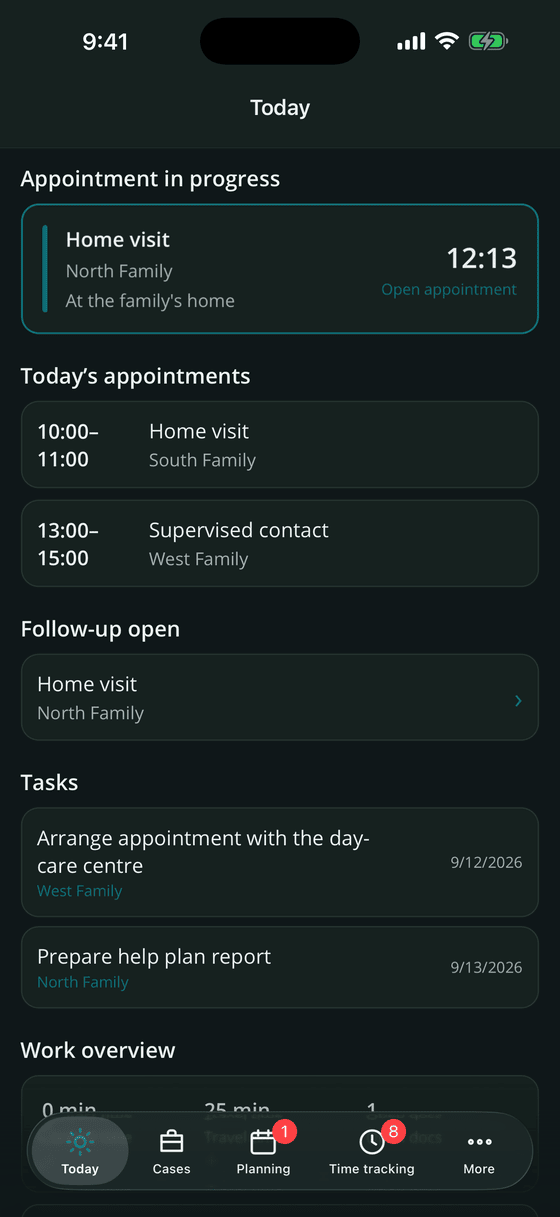
Field work in child and youth services means: driving, talking, listening – and afterwards writing everything down. Focus Family shortens exactly that second half without loosening a single requirement.
Time stamps during the appointment, guided follow-up right afterwards, text snippets and dictation instead of typing. The record is finished before the next front door.
Appointment, time entry, mileage and proof of activity come from the same record. No transferring into a spreadsheet, no second calendar, no paper form at the end of the month.
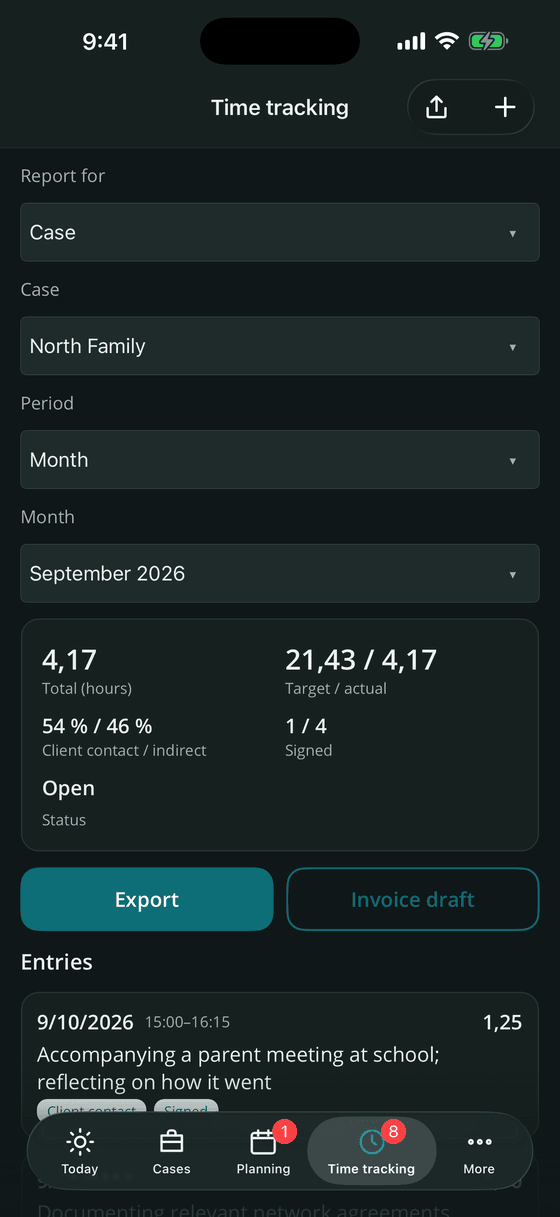
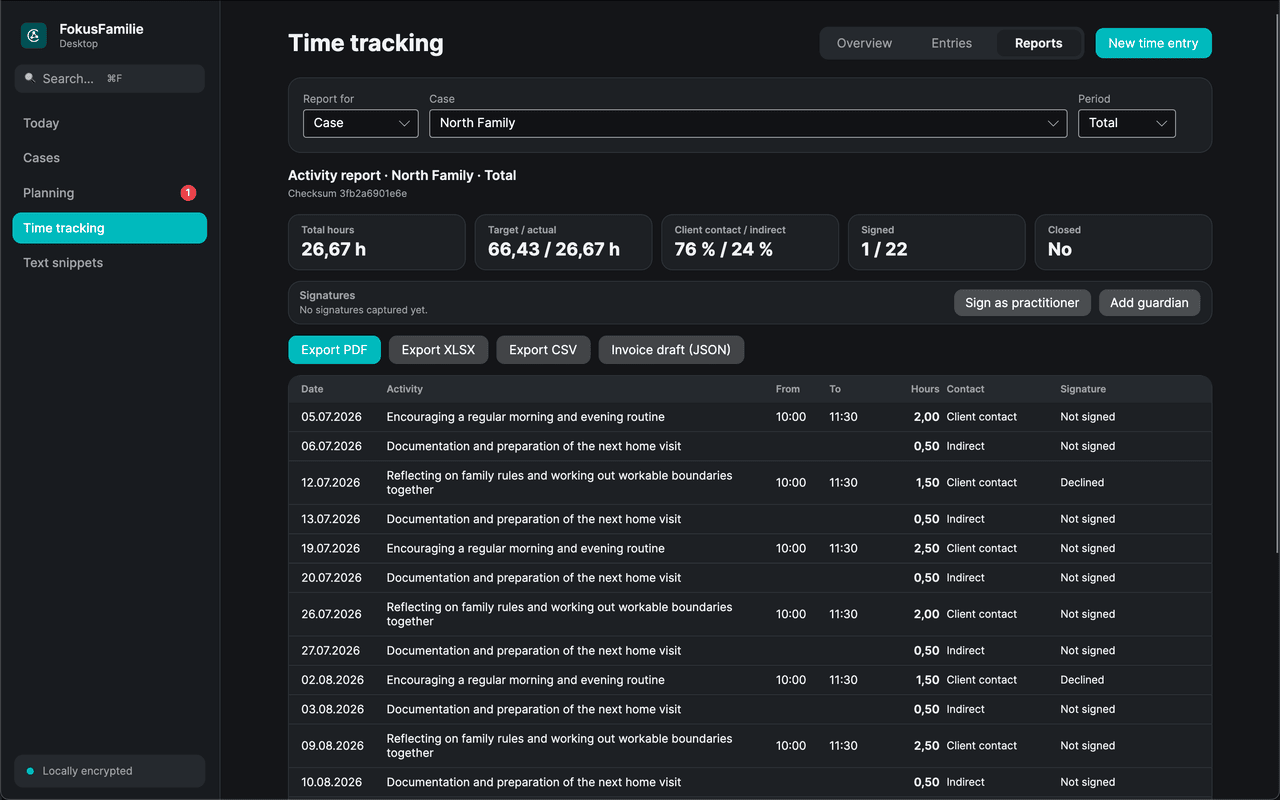
Proof of activity per case or per practitioner, with contact ratio, counter-signatures and checksum – exportable as PDF, XLSX or CSV, plus an invoice draft for billing.
No vendor cloud, no mandatory account, no tracking. If you want team work, your organisation runs its own server – and keeps every key, every file and every log.
Data protection
Focus Family processes highly sensitive social data about families and minors. These four rules are written into the product, not into a marketing page.
The app works 100 % offline. All data lives primarily on the device – in a basement flat without reception just as well as in the office.
There is no Software Notion server that holds your case data. Synchronisation only ever happens against a server your organisation runs itself.
No server, no account and no connection are required for a working day. Your data stays on the device, readable, and is never deleted or locked away by us.
Where convenience and data protection collide, data protection wins: no readable field in the database and no back door to the PIN. With an organisation server, administrators reset the lock in the admin panel – logged, rather than circumvented.
The app follows the four steps of a home visit instead of forcing a new process on you.
Before the appointment: the last record, open agreements and current goals on one screen – plus your own preparation note.
During the appointment: start the timer, set short time stamps for observations, agreements and next steps, capture photos, video markers or a voice memo.
Right after: four short questions, travel time and kilometres, optionally a signature from the family – and the time entry is created with a single tap.
From your notes a clean record is written, filed in the case file and exported in the format the office expects.
Features
Eight areas, one app. Everything below works without an internet connection; only sharing inside a team needs the organisation server.
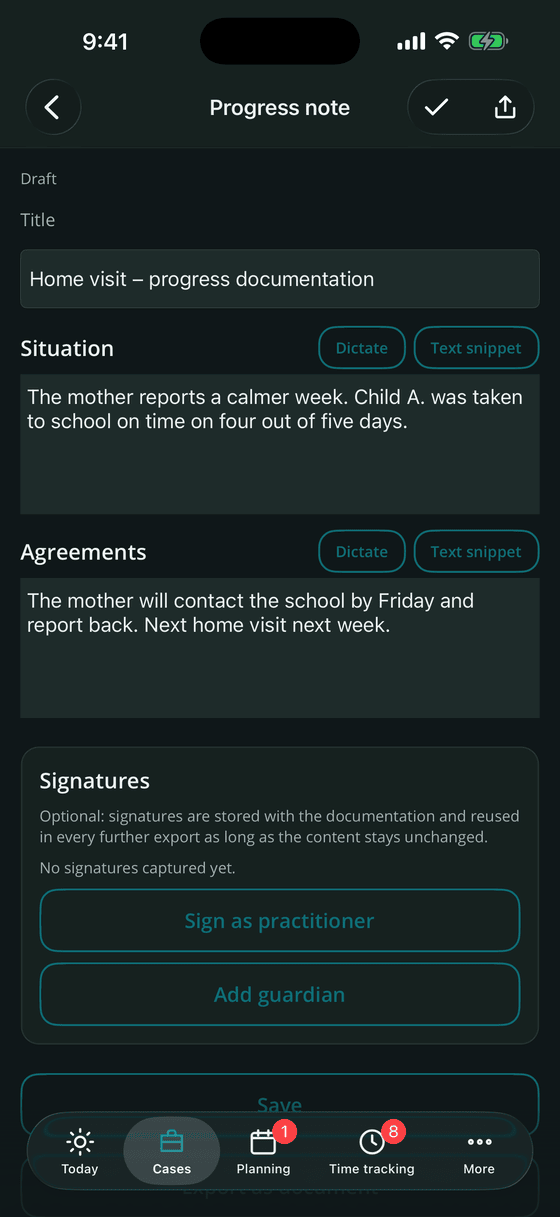
A case is created with an alias – "Familie Nord" or "Fall 26-014" – so everyday work stays pseudonymous. Everything else builds on it.
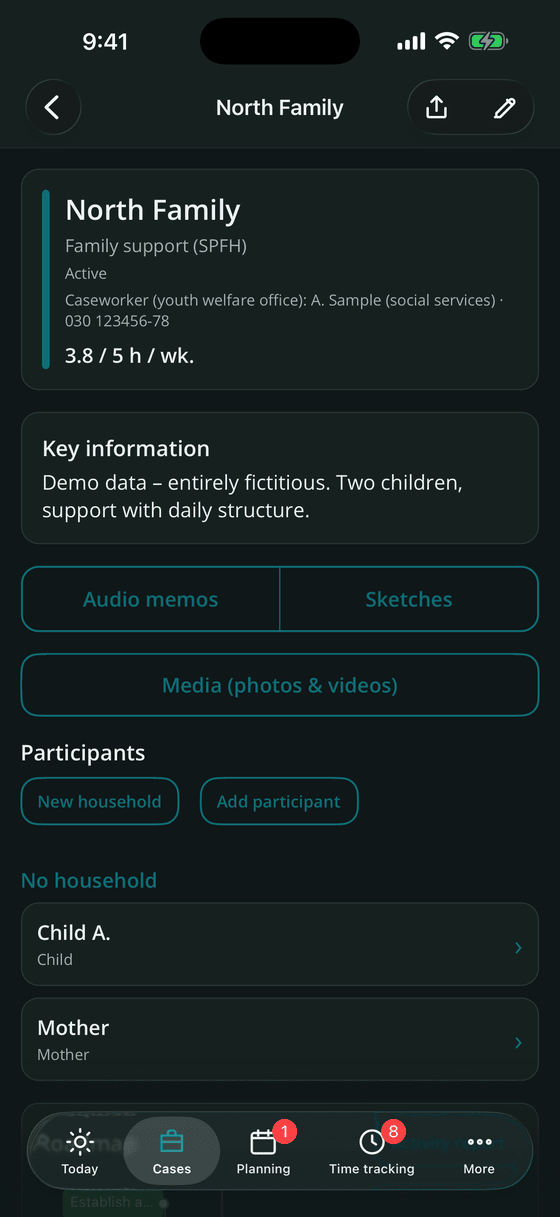
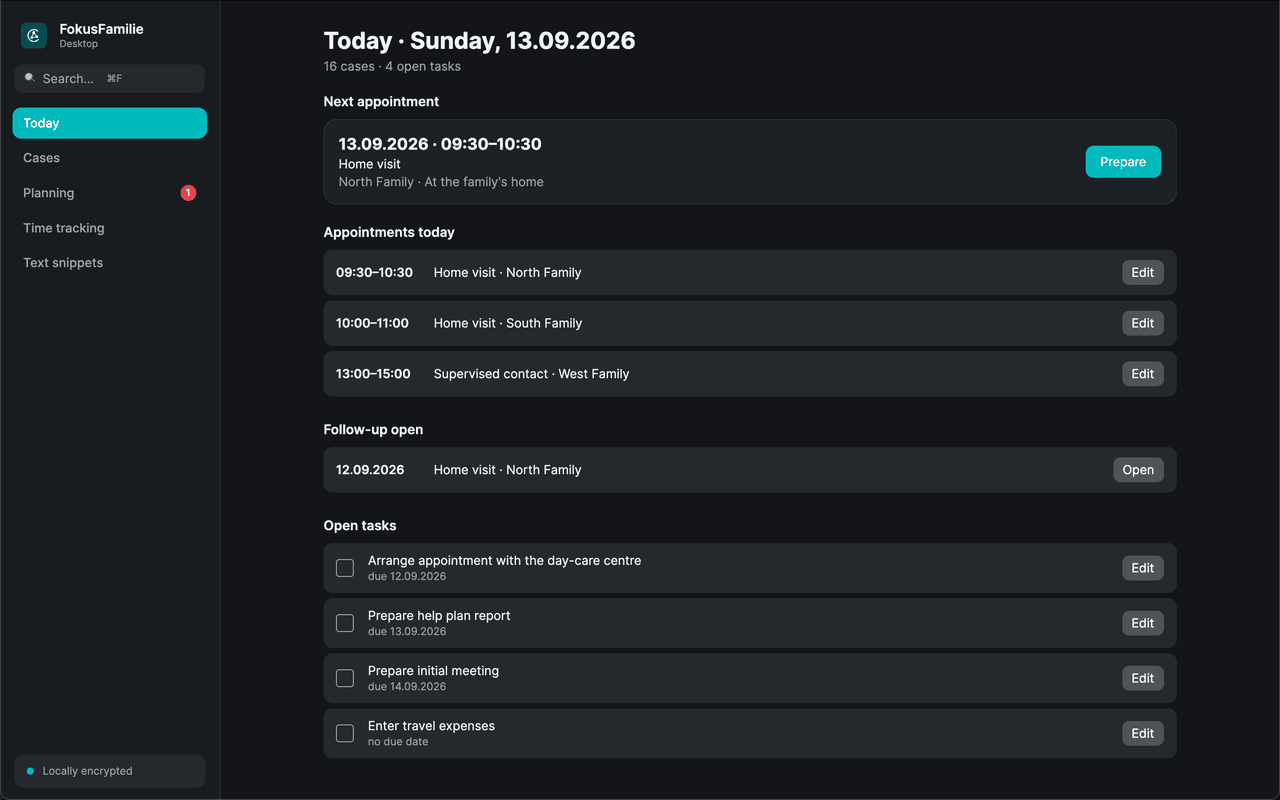
Calendar and to-dos live on one screen. Overdue items first, then appointments and tasks grouped by day.
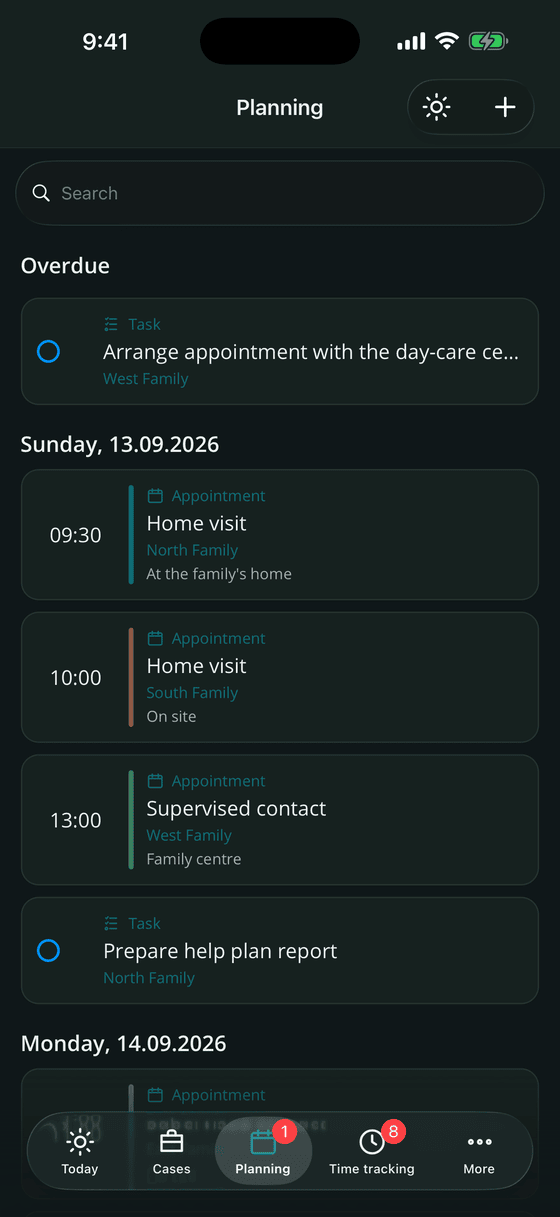
Typing is the slowest option, so it is only one of many. Everything is stored encrypted inside the case.
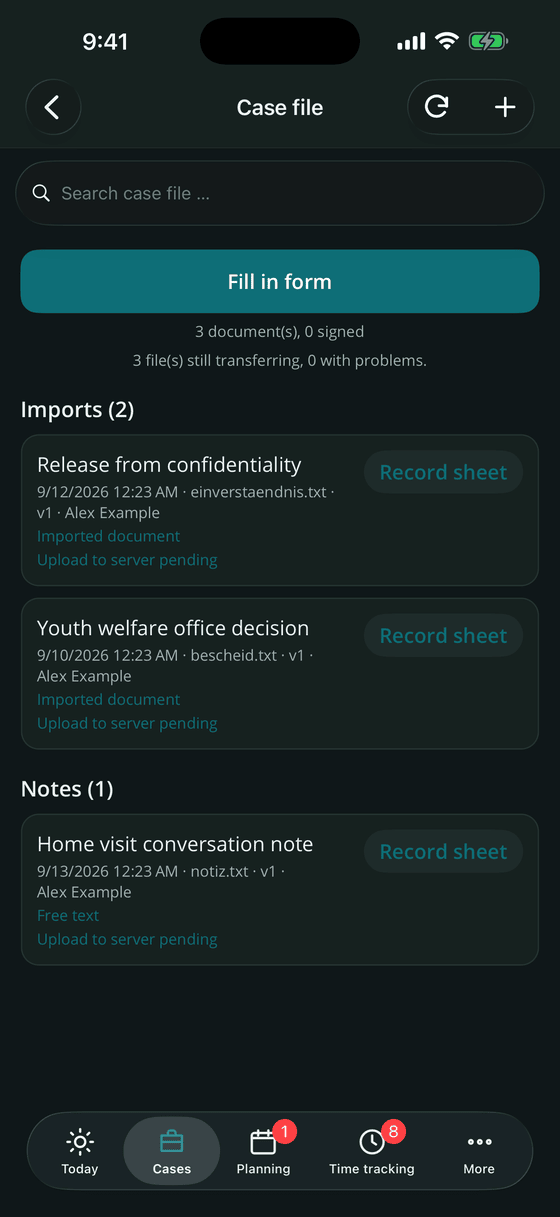
Every document belonging to a case in one place – imports, notes, forms, reports and proofs, each with verifiable metadata.
Time tracking has its own tab. A time entry is created from the appointment with a single tap – and grows into the document the office asks for.
Every export contains sensitive case data. That is why the app asks what may leave the device before anything is shared.
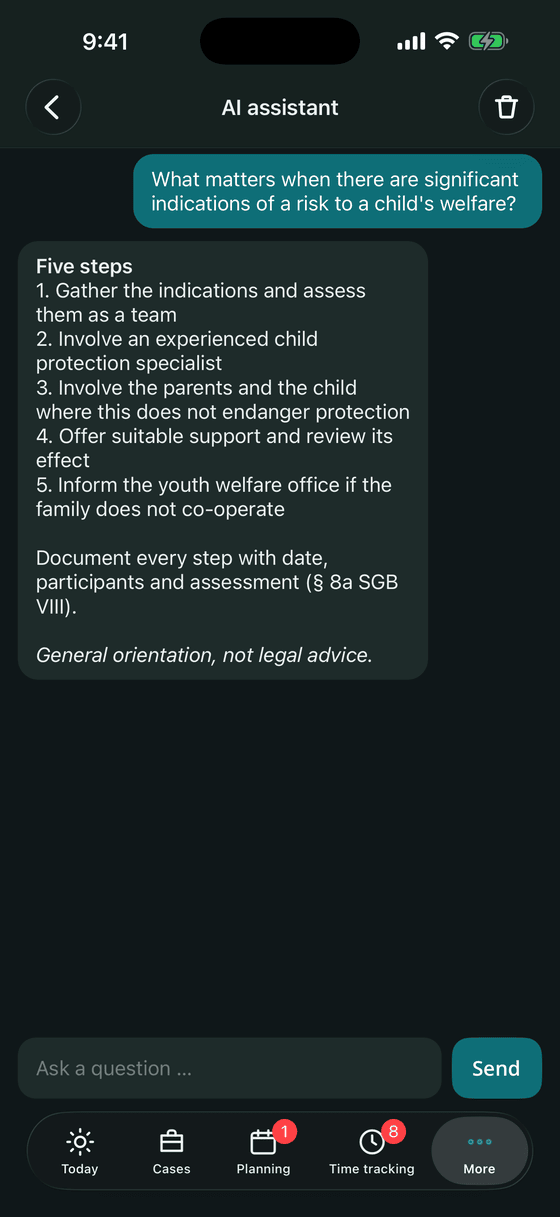
The assistant runs entirely on the device. Your content never leaves it – there is no API call to any provider.
A lost phone must not become a data breach. The protective measures are the same on phone, tablet and desktop.
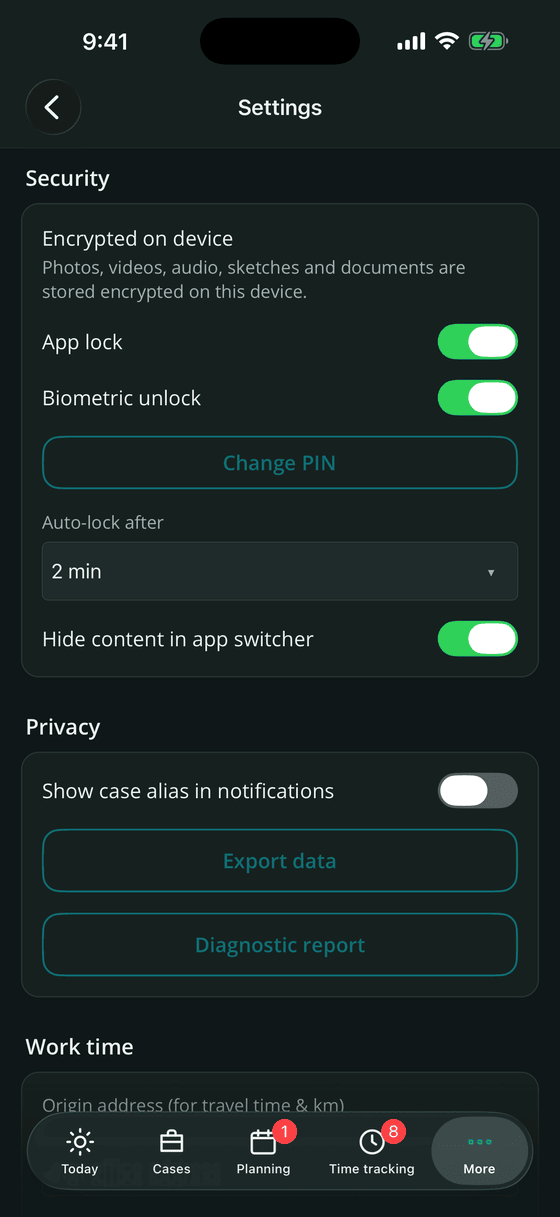
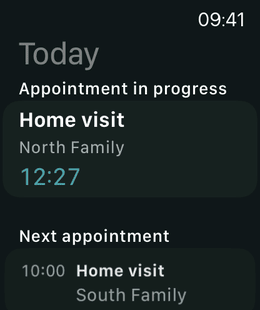
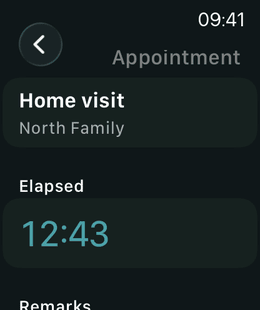
Mobile in the field, desktop in the office, watch between two front doors – with the same data and the same protection everywhere.
The full app on iPhone, built for one-handed use during an appointment.
Adaptive multi-column layouts on iPad and sketching with Apple Pencil.
Phone and tablet, including screenshot protection at operating-system level.
Desktop app with feature parity, keyboard search and a .pkg installer for Apple silicon and Intel.
The same desktop app as an MSI installer, distributable through the admin panel.
Next appointments, running time, start and stop, and notes on Apple Watch – even without the iPhone nearby. Complications and Live Activity show the running appointment.
Self-hosting
Teams need shared cases. Focus Family solves that without a vendor cloud: your organisation runs one server instance in its own infrastructure, and the app synchronises only against that instance. The web admin panel is part of it.
Encrypted SQLite database, works offline. Private entries never leave your own devices.
ASP.NET Core and PostgreSQL in containers, behind your own reverse proxy with your own TLS certificate.
Software Notion never receives case data. Only licence validation talks to an external service – without case content.
The panel is administration, not a second case documentation. The professional work stays in the app – administrators never see private entries, and technical administrators see no cases at all.
Users, teams, devices, cases, security events and storage at a glance, plus server version, organisation and instance ID.
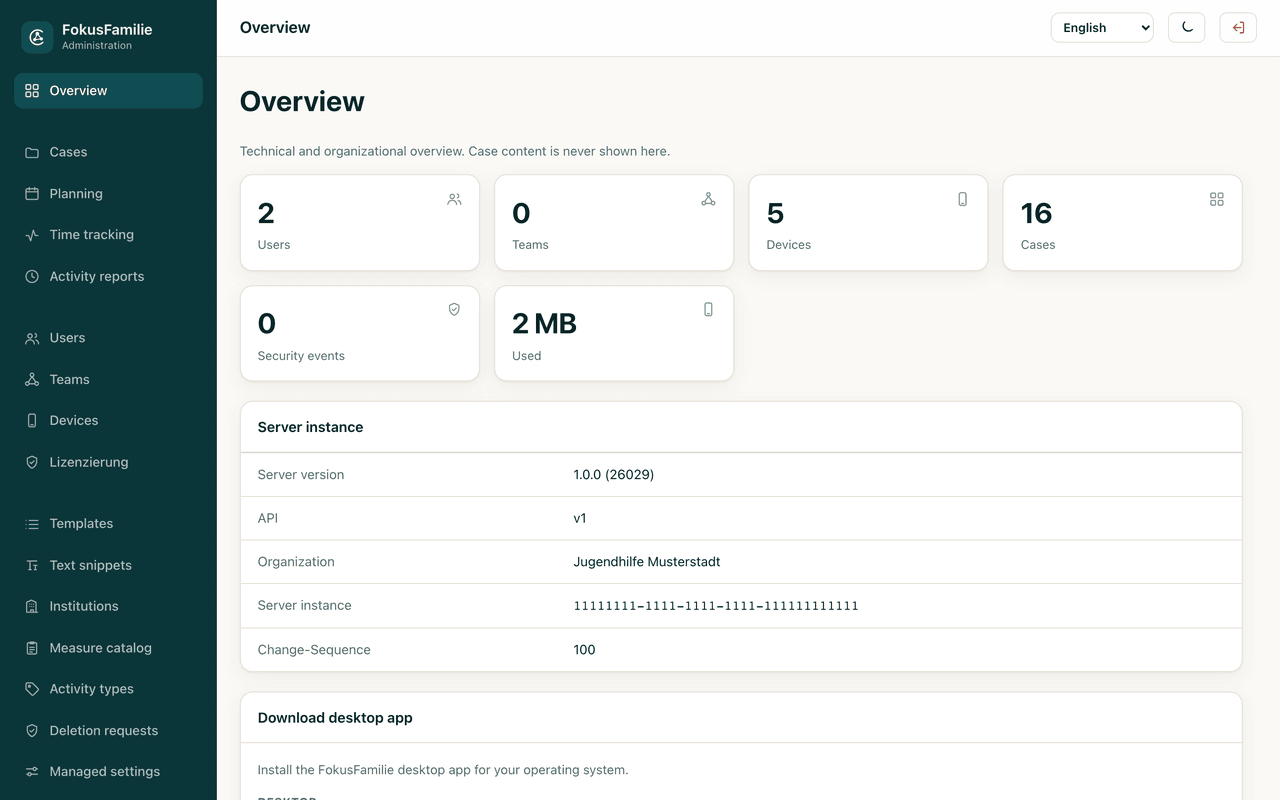
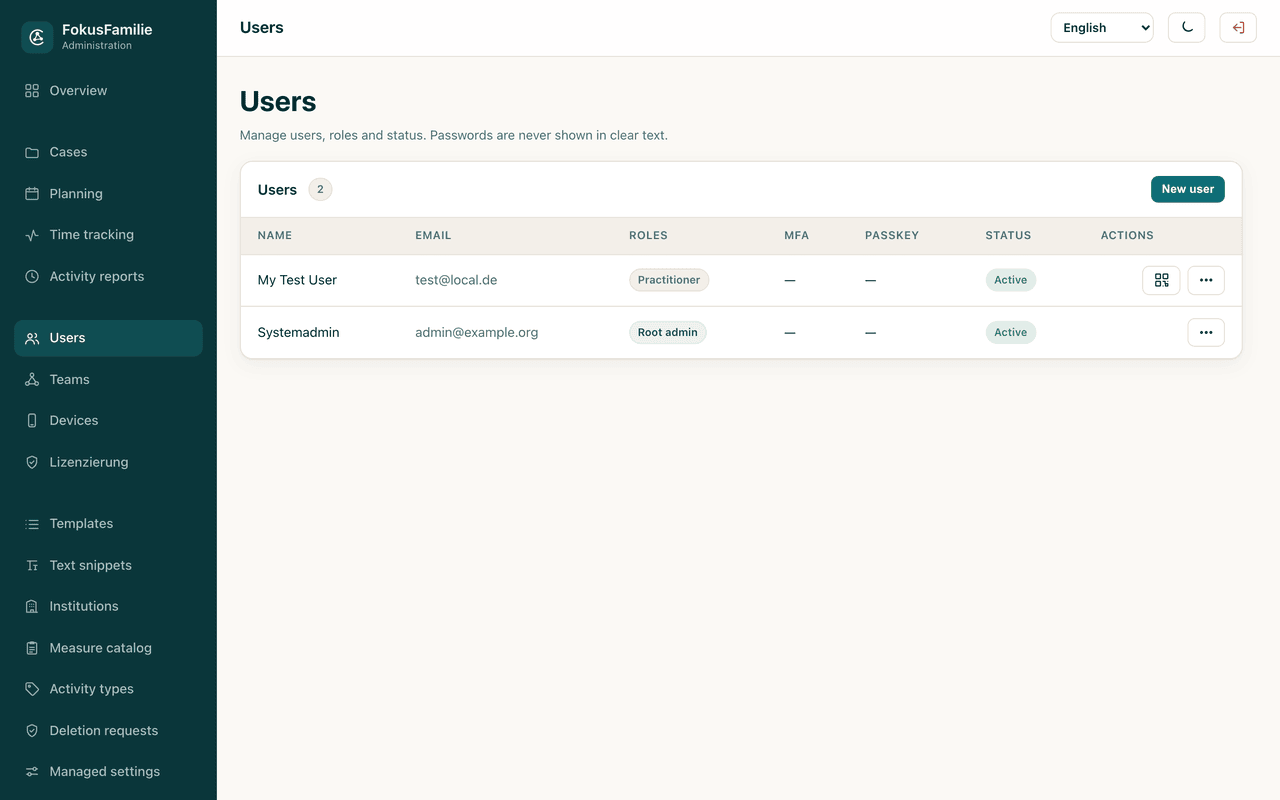
Two separate admin levels – technical and professional – plus fine-grained permissions. IT can maintain the system without ever seeing case content.
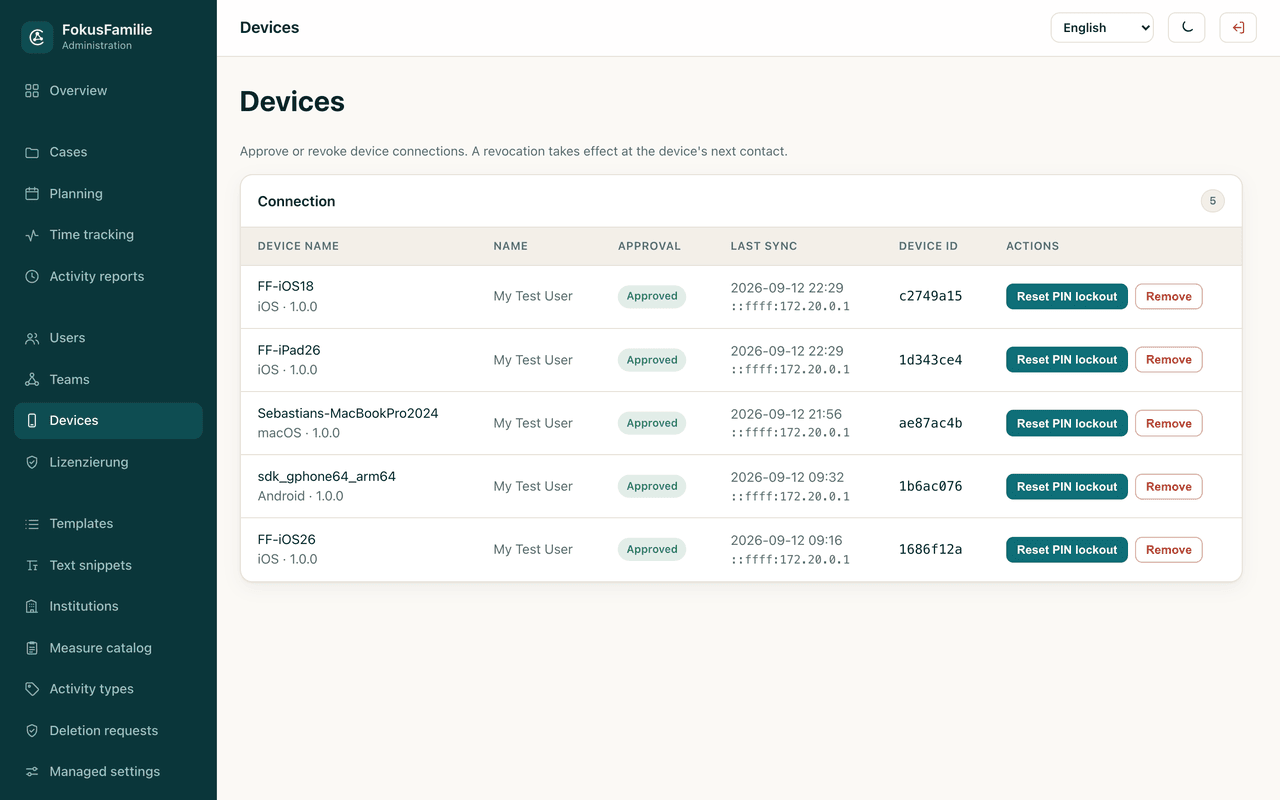
Approve or block devices, reset a forgotten PIN lock, issue re-enrolment codes. Seats are assigned by an admin only – no device takes one by itself. Disconnecting a device happens here and nowhere else.
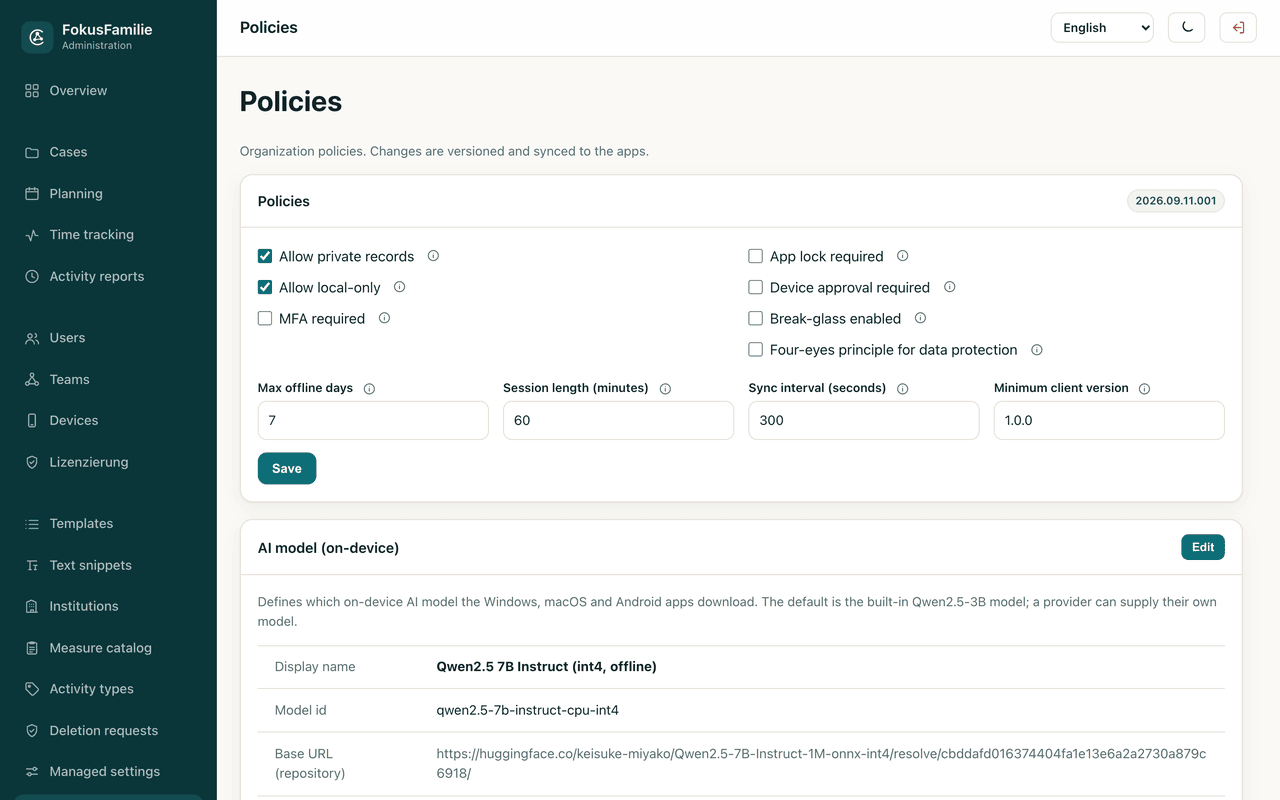
Require MFA, require the app lock, set maximum offline duration, session length, sync interval, minimum client version, device approval and break-glass emergency access. Changes are versioned and distributed to every app.
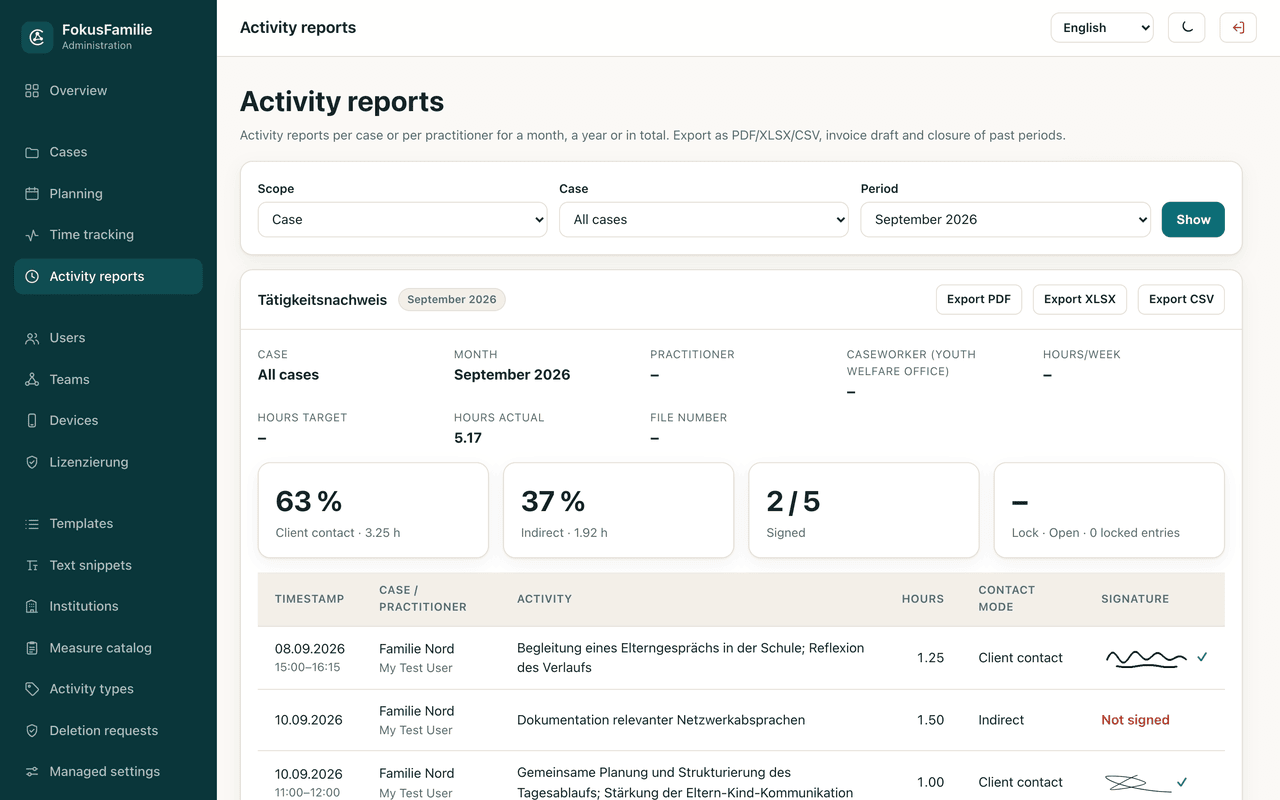
Team leads correct entries inside their own area of responsibility, close past months or years and reopen them with a reason. Signatures are shown with a checksum indicator – a warning appears if image or summary was altered.
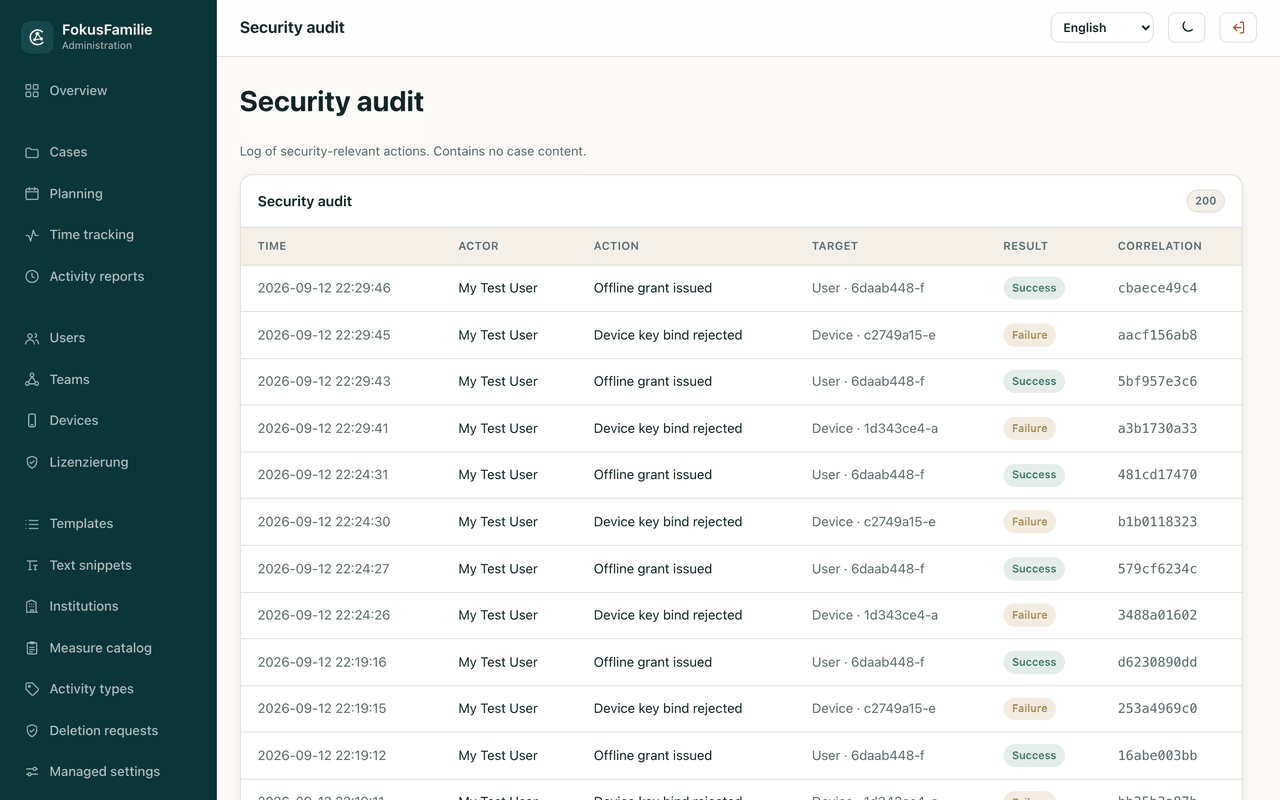
A log of security-relevant actions with time, actor, action, target and result – who did what and when, never what a case contains.
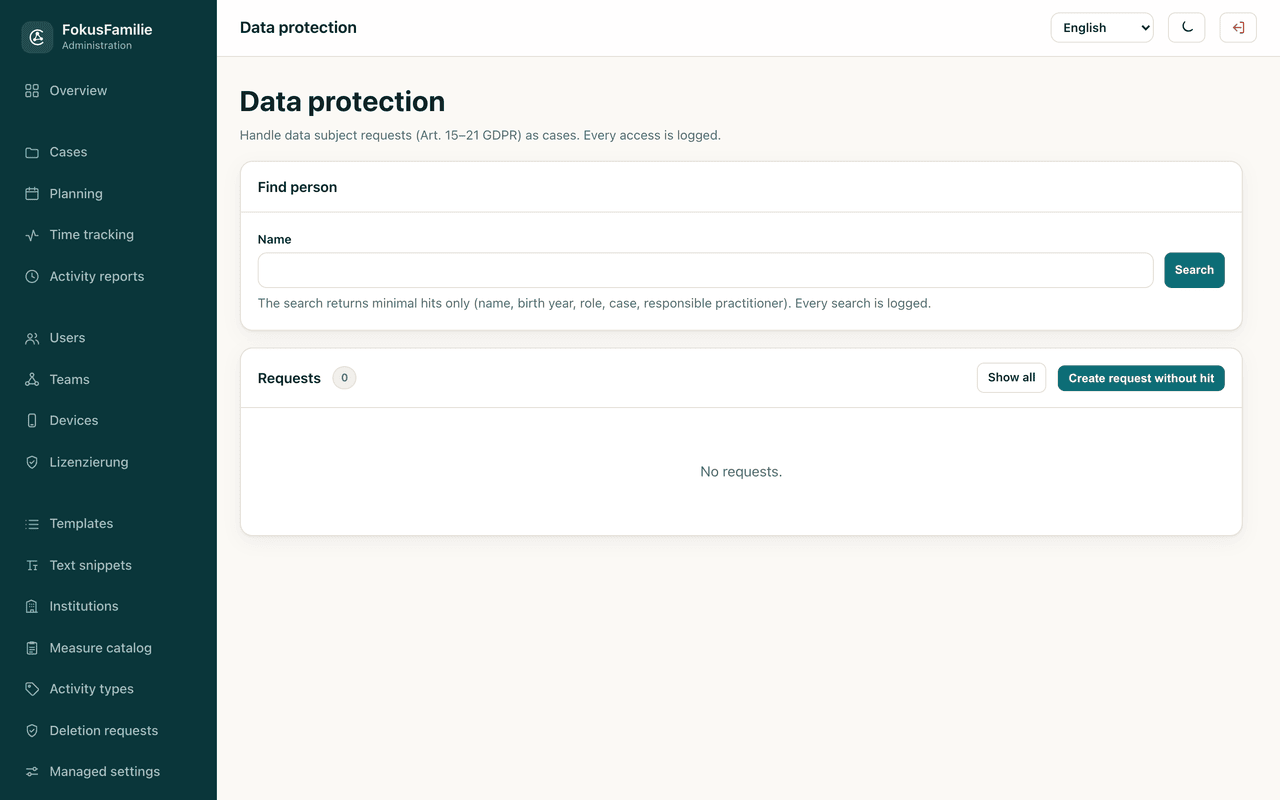
A dedicated area for the data protection officer: subject access requests, deletion requests with a documented legal basis, restrictions under Art. 18 and objections under Art. 21, with a four-eyes release that small organisations can switch off.
Screenshots from the running app and the admin panel – with demonstration data, not real cases.
Data protection
Social data about families and minors belongs to the most sensitive category there is. Here is exactly what happens to it – in plain words, with the technical detail underneath.
Every record is serialised and stored fully encrypted with AES-256-GCM. Only opaque index columns – GUIDs, ISO dates, status values – remain readable so the database can filter without decrypting. An automated test reads the raw database file and verifies that no plain text is inside.
The 256-bit master key is generated by a cryptographic random generator and protected by the platform secure storage – iOS and macOS keychain, Android keystore, Windows DPAPI. On Android, automatic cloud backup of the key is disabled so it can never end up in a Google backup.
A .ffbackup file derives its key with PBKDF2-HMAC-SHA256 over 310,000 iterations and encrypts the payload with AES-256-GCM. Restoring validates the whole file before the first destructive step, so a wrong password never leaves half-overwritten data.
There are no analytics, tracking or advertising SDKs in the app. Network access happens for exactly two reasons: synchronisation with your own server and licence validation. Nothing else phones home.
Logs contain codes and identifiers instead of content. A redactor defensively masks e-mail addresses and phone numbers and truncates free text. No real names, notes, document contents or addresses are written to a log – and crash reports carry no case data at all.
When a practitioner deletes data it is first only marked. The organisation decides: keep it with a documented legal basis, or delete it physically and irreversibly, leaving nothing but an empty deletion record.
The server supports two-factor authentication with TOTP and passwordless passkey sign-in. Emergency access to a case outside the regular assignment is time-boxed to at most 120 minutes, requires MFA and a documented reason, and is always written to the audit log.
Focus Family has been through several rounds of security audit. Findings were remediated and locked in with automated tests – including signed policy key sets, an offline access gate, a migration ledger and a production build gate.
| Risk | Countermeasure |
|---|---|
| Device lost or stolen | App lock with PIN and biometrics, brute-force delay, field encryption at rest |
| Somebody reads the database file | All sensitive fields encrypted with AES-256-GCM, verified by a test against the raw file |
| Shoulder surfing or the app switcher | Screenshot protection and a covered app switcher preview |
| A backup is passed on | Backups encrypted with PBKDF2 and AES-GCM; unreadable without the password |
| Data leaking through third-party SDKs | No analytics, tracking or advertising SDKs; network access only for sync and licensing |
| Stolen sync credentials or devices | Device registration with proof of possession, server-side revocation, disconnect only through the admin panel |
Focus Family does not promise a percentage. It removes specific steps that cost time every single day – you can check each one against your own routine.
Appointment, time entry, kilometres and proof of activity all come from the same record. The monthly spreadsheet disappears.
Time stamps during the appointment and four guided questions afterwards replace the evening session in which you reconstruct three home visits.
The wording catalogue and your own text snippets cover the recurring sentences. Dictation handles the rest without a keyboard.
Proof of activity per case or practitioner, with target/actual, contact ratio and signature rate, exported as PDF, XLSX or CSV – instead of assembled by hand at the end of the month.
The last record, open agreements and current goals appear on one screen instead of being looked up in three folders.
Deputising hands a case over for a defined period, with access that starts and ends automatically. Holiday cover can be planned weeks in advance.
Focus Family supports practitioners in organising and documenting their work. The rules of your organisation and the applicable law remain authoritative. The app makes no diagnoses, takes no legal decisions and does not assess people.
Basic case documentation is free. Everything below is planned for the first public release; final pricing will be published before early access starts.
For getting started
For individual practitioners
For providers and teams
Every edition keeps the same guarantees: no vendor cloud, no tracking and full offline operation. A paid licence only needs to be confirmed online from time to time – reminders start on day three, and on day ten the app asks for validation. Your data is never touched.
App, desktop app, self-hosted server with admin panel and licence server are built and running. What is left is the public rollout.
Version 1.0.0 on iOS, iPadOS, Android, macOS and Windows, with Apple Watch, server, admin panel and licensing. Several security audit rounds have been completed.
First public version in the app stores, together with the server package for organisations that want to run their own instance.
General availability after the feedback from early access has been worked in.
These dates are a planning estimate based on the current state of development, not a commitment. They can shift.
Manuals
The complete documentation is written for people, not for administrators of a system. Everything can be downloaded, printed and passed on inside your organisation.
Everything practitioners need on the phone and tablet: setup, cases, planning, documentation, case file, time tracking, export, backup and app lock.
Download PDF PDF · EnglishThe desktop app in detail: installation, keyboard shortcuts, documentation editor, time tracking and the differences from the mobile app.
Download PDF PDF · EnglishRoles and permissions, users, QR setup, MFA, teams, devices, policies, managed settings, proof of activity, audit log and the GDPR area.
Download PDF PDF · EnglishFor your IT department: container stack, database roles, reverse proxy, certificates, backup and restore, updates, monitoring and the security model.
Download PDF PDF · EnglishNo. The server is optional. Without it every practitioner works completely locally on their own device. You only need a server if cases are to be shared inside a team or if the organisation wants central administration.
Primarily encrypted on the device. If you run a server, shared content additionally lives in your own PostgreSQL database on your own infrastructure. Software Notion never receives case data.
Technical administrators see no cases and no appointments at all. Professional administrators see case content within their responsibility, but never entries a practitioner has marked as private. Whoever operates the server does, of course, have database access – that is an honest limit of any self-hosted system.
Nothing changes. Everything works offline, and synchronisation catches up automatically as soon as a connection exists. A paid licence only needs to reach the internet every few days.
The admin creates the account in the panel and generates a time-limited one-time QR code. The practitioner scans it in the app, signs in, and the device waits for approval if your policy requires it.
No, deliberately not. Disconnecting only happens in the admin panel. That prevents a device from silently removing itself from central administration.
No. The model runs on the device. There is no API call to any AI provider, and the assistant is switched off by default.
Cases are created in the app or in the panel; documents can be imported into the case file and become searchable through text recognition. Templates, export profiles and text snippets are maintained centrally so everyone starts from the same baseline.
App, desktop app and admin panel are available in German, English, Spanish and French.
The server runs on modest hardware – a small virtual machine with Docker is enough for a typical organisation. Licensing is seat-based; tell us your team size in the form below and you will get a concrete figure.
Contact
Are you a provider, a youth welfare office or a team that wants to run the admin panel and its own server instance? Write to us – we will get back with the technical requirements, seat pricing and a possible timeline.
Prefer e-mail? Write to info@software-notion.de – please mention Focus Family in the subject.
Tell us how many practitioners you have and whether you want to host it yourself. You will get a concrete answer, not a sales funnel.
Request an instance for your organisationFocus Family is a product of Software Notion. The app supports practitioners in organising and documenting their work and does not replace professional judgement, legal advice or the rules of your organisation.